A Chrome extension that hides posts matching filters you write.
Feedkeeper reads each post in your Instagram and X feed, asks Jev, a small language model from Typesafe AI, whether it matches one of your filters, and collapses it if it does. Filters are plain sentences, like political outrage or crypto shilling.
How it works
- 1
Write a filter
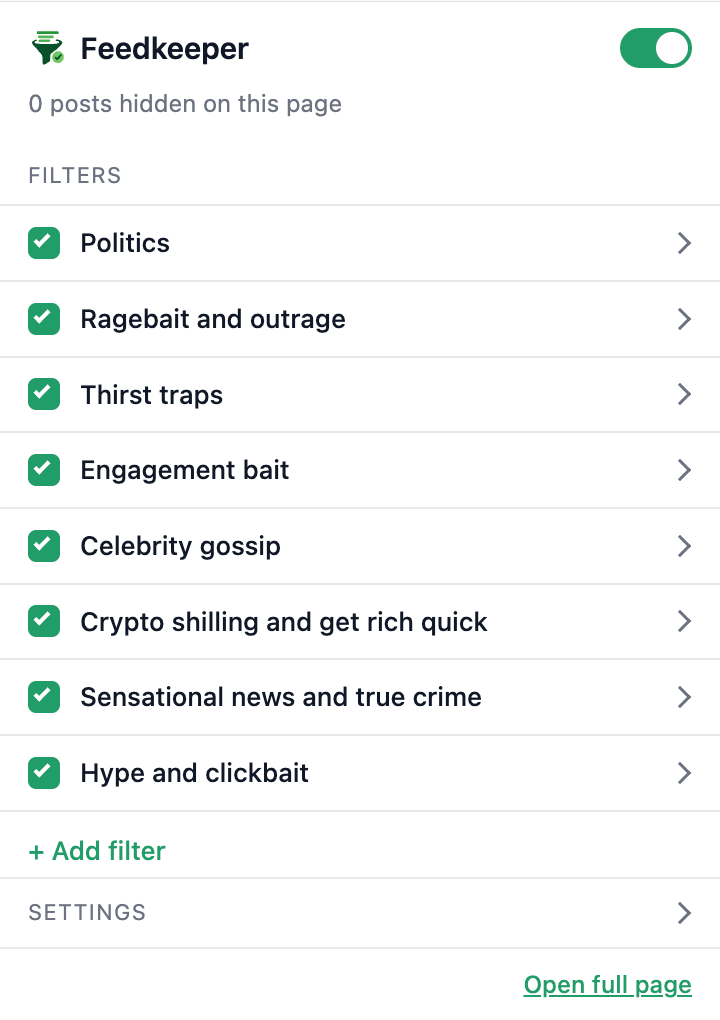
Each filter is a sentence describing what to hide, and optionally what not to hide. Eight are included by default, and you can edit or remove any of them.
- 2
Posts are classified as you scroll
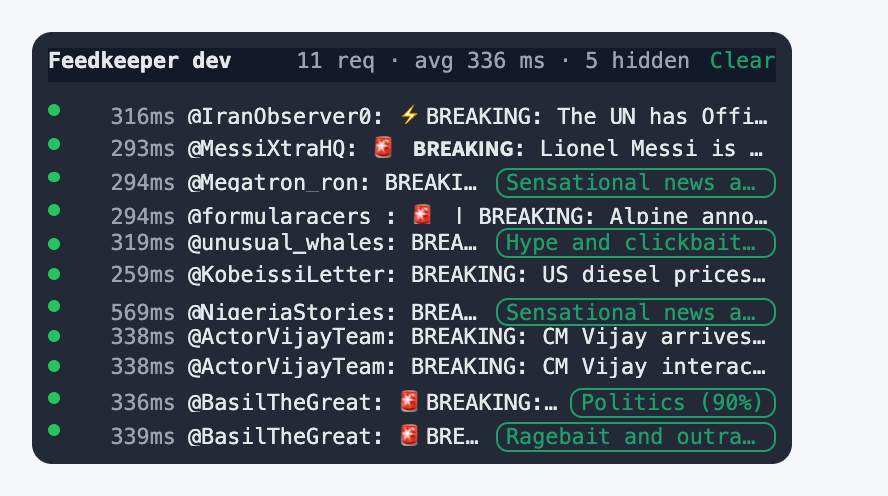
For each new post, the extension sends the author and text to Jev, the Typesafe AI model, with one yes or no question per filter. A request takes around 300 ms and posts are checked four at a time.
- 3
Matches collapse into a bar
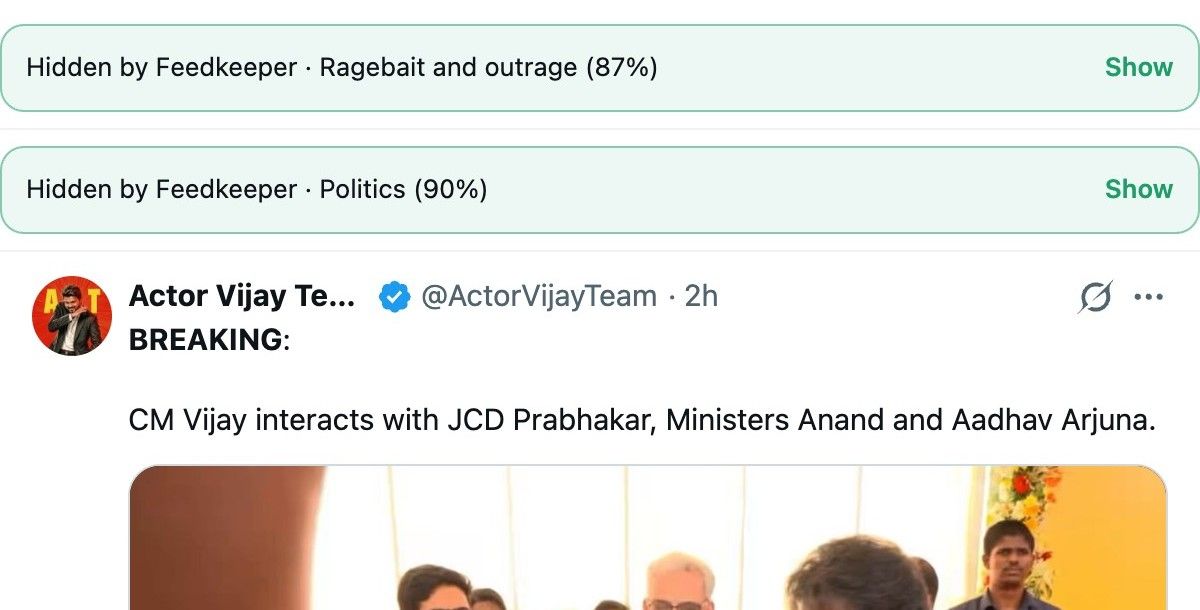
A matching post is replaced by a one line bar showing the filter that matched and its confidence, with a Show button. Nothing is deleted or reported, and the post comes back on click.
What it looks like
Install
Feedkeeper is on its way to the Chrome Web Store. Review usually takes 2 to 3 days. Until then, install it by hand in about a minute.
Download for ChromeVersion 0.1.2, 30 KB zip
- 1
Unzip the download
Put the folder somewhere you will keep it. Chrome loads the extension from there.
- 2
Open chrome://extensions
Turn on Developer mode with the switch in the top right corner.
- 3
Load unpacked
Click Load unpacked and pick the unzipped folder. The Feedkeeper icon appears in the toolbar.
- 4
Add your Typesafe AI key
Click the icon, open Settings and paste your API key from console.typesafe.ai. Then scroll Instagram or X as usual.
Need a key? Leave your email and I will send you one. Running the classifier costs close to nothing, so it is free while a 3€ a month plan without a key is on the way.
Chrome shows a warning about developer mode extensions on startup. It goes away once the store version is approved.
Why a classifier instead of muted words
A post about an election rarely contains the word politics, and ragebait does not announce itself. A classifier reads the whole post and judges intent and tone, which a word list cannot do. It also lets a filter carry exceptions, such as technical discussion of blockchains not counting as crypto shilling.
What leaves your browser
- The author handle and text of each post, sent to Jev, the Typesafe AI model, with your own key.
- Nothing else. No account data, no browsing history, no analytics.
- Filters and the key live in Chrome sync storage, so they follow your Chrome profile.